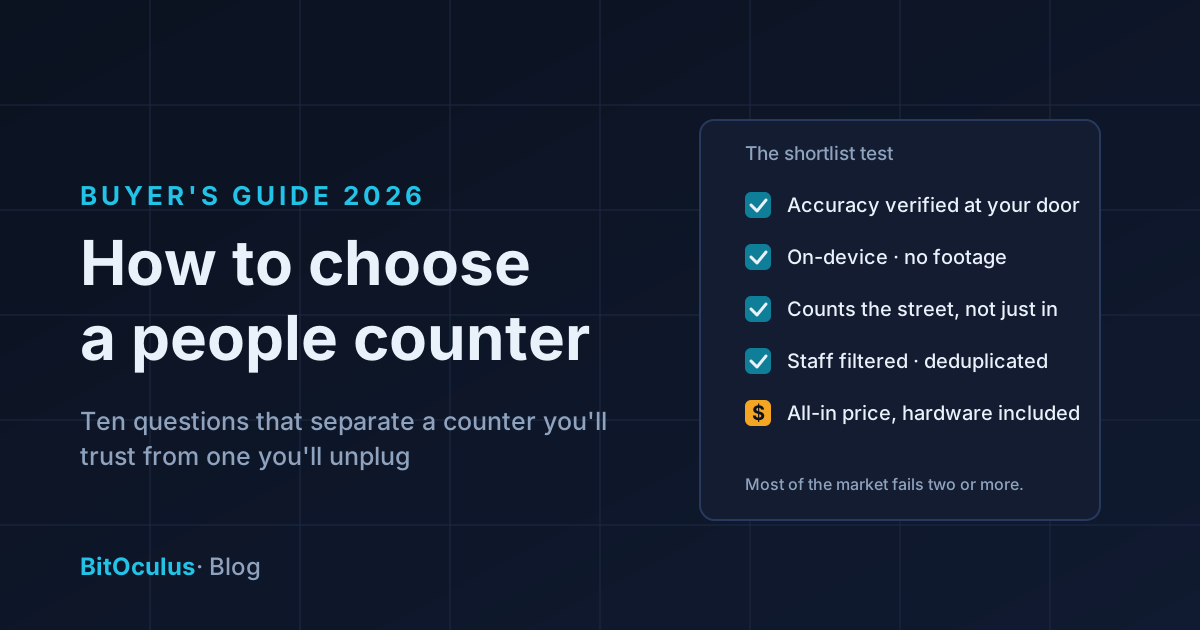
Choosing a people counter comes down to ten questions: what technology it uses, whether accuracy is verified at your door, where the video processing happens, whether it can count the street as well as the door, how it handles staff and repeat visitors, what the pricing actually includes, who installs it, who owns the data, whether it can alert you in real time, and what happens if it's wrong. Get clear answers to those and the shortlist mostly builds itself. This guide walks through each one, including the questions vendors hope you won't ask.
A people counter is a small purchase with a long shadow: every staffing decision, every window experiment and every rent negotiation you run off its data inherits its accuracy. A counter you don't trust is worse than no counter — you'll pay for it, second-guess it, and eventually ignore it. Here's how to buy one you'll still be using in three years.
1. Which counting technology — and does it match your questions?
The four common technologies — infrared beams, thermal sensors, Wi-Fi tracking and AI vision — differ enormously in what they can measure. We've written a plain-English guide to how each works; the short version for buyers:
- Infrared beams (~80% accuracy) count beam-breaks. Cheap, but two people side by side count as one, and a pram counts as a person. Fine for a rough gate count; too coarse for conversion or staffing decisions.
- Thermal sensors (~90%) are anonymous by design and better in crowds, but they can't see the street, so capture rate is off the table.
- Wi-Fi/Bluetooth tracking (50–70%) is the weakest option on both accuracy and privacy — modern phones randomise their identifiers, and the whole technique works by tracking personal devices.
- AI vision sensors (up to 99%) detect and track people as anonymous shapes, distinguish in from out, filter staff, detect U-turns, and — critically — can count outdoors.
The technology question is really a metrics question. If all you'll ever want is a daily entry count, a beam is defensible. If you want capture rate, true conversion, bounce rate and power hours — the metrics that actually change decisions — only AI vision delivers all four.
2. Is the accuracy number verified at your door?
Every datasheet says something impressive. That number was measured somewhere else: different mounting height, different lighting, different crowd behaviour. The only accuracy figure that matters is one verified against ground truth at your entrance — someone counts a real hour of traffic and compares it to what the sensor said.
Ask every vendor: "Do you verify accuracy on site during onboarding, and what happens if it misses the spec?" A vendor who verifies as standard will answer instantly. A vendor who doesn't will talk about the datasheet.
3. Where does the video processing happen?
For camera-based counters this is the question that decides both your privacy posture and your legal obligations. A sensor that streams video to the cloud for analysis is a surveillance camera with analytics attached — footage exists, and everything that footage implies (storage, breach risk, signage obligations, staff consultation) comes with it.
An edge-AI sensor processes every frame on the device and discards it in milliseconds. No footage is stored or transmitted; only anonymous counts leave the sensor. That single architectural choice is what keeps a counter on the right side of privacy law with the least compliance overhead — we've covered the legal side in detail. Ask: "Does any image ever leave the device? Can anyone, including you, retrieve footage?" The correct answers are no and no.
4. Can it count the street, not just the door?
Most counters only see the threshold, which means they can only tell you about the people who already decided to come in. The passers-by who didn't — the biggest untapped audience your store has — stay invisible, and capture rate stays unmeasurable.
If you ever want to know whether your window is working, whether a new sign paid off, or what your location's real potential is, you need an outdoor-capable, weatherproof sensor that counts the footpath as well as the entrance. This is a hardware property, not a software update — buy it wrong and no firmware fix will add it later.
5 & 6. Staff filtering and deduplication
Two silent accuracy killers, both invisible on a datasheet:
- Staff filtering. In a small store, staff crossing the threshold all day can inflate traffic by 20% or more — which quietly deflates your conversion rate and makes busy days look busier than they were. Good systems exclude staff automatically.
- Deduplication. The customer who steps out to take a call and walks back in shouldn't count twice. Without dedup, your conversion denominator is padded with phantom visitors.
Neither sounds exciting. Both are the difference between a conversion rate you can act on and one you quietly stop believing.
7. What does the price actually include?
People-counting pricing comes in two shapes, and the difference matters more than the monthly number:
- Hardware upfront + subscription. You buy the sensor (often several hundred to a few thousand dollars per entrance), then pay for the software on top. Installation, calibration, mounting hardware and replacements are frequently extra line items. The sting: you own a depreciating device, and if you churn, you own a paperweight.
- Hardware included in the subscription. One price covers the sensor, the software and typically installation and replacement. No capex, no surprise line items, and the vendor stays on the hook for the hardware working — their incentive is your sensor staying accurate, because you can leave.
Neither model is dishonest, but the first one's advertised price is rarely the real price. Ask for the all-in first-year cost: sensor, install, calibration, software, and what a replacement costs when — not if — a unit fails. (BitOculus takes the second approach: hardware is always included in the plan, installation included for the founding cohort — the pricing page has the details.)
8. Who installs and calibrates it?
A mis-mounted sensor is inaccurate forever. Height, angle, and line placement all move the accuracy number, and "self-install with a PDF" is how a 99%-capable sensor produces 85% data. Ask whether installation is done (or at minimum verified) by the vendor, and whether calibration against ground truth is part of onboarding rather than a support ticket you file later.
9. Who owns the data, and can you get it out?
You're not buying counts for this quarter — you're building a multi-year baseline that gets more valuable every month: seasonal patterns, year-on-year comparisons, evidence for the next lease negotiation. Make sure the data is yours: exportable in a standard format, accessible via API or CSV, and not held hostage by the subscription. Ask what happens to your history if you cancel.
10. Can it tell you when something needs attention now?
A dashboard you check on Monday explains last week. Real-time alerts change this week: the queue forming while the second register sits closed, the occupancy limit approaching during an event, the dead Saturday morning that says the roster was wrong. If acting on the data in the moment matters to you, check the system can push alerts — not just render charts.
The shortlist test
Put every vendor through the same five-minute filter: verified accuracy at your door, on-device processing with no footage, street counting for capture rate, staff filtering and dedup as standard, and an all-in price with hardware included. Most of the market fails on two or more. The ones left standing are worth a demo.
Frequently asked questions
How much does a people counting system cost?
It depends on the pricing model. Hardware-upfront systems typically run from several hundred to a few thousand dollars per entrance for the sensor, plus an ongoing software subscription, plus installation. Subscription models with hardware included fold everything into one monthly price with no capex. Always compare the all-in first-year cost — sensor, installation, calibration, software and replacements — rather than the headline number.
What is the most accurate type of people counter?
Well-installed AI vision (edge-AI) sensors are the most accurate widely available option, reaching up to 99% — against roughly 90% for thermal sensors, 80% for infrared beams and 50–70% for Wi-Fi tracking. The qualifier "well-installed" matters: insist on on-site verification against ground truth, not just a datasheet figure.
Do I need a people counter if I already have a security camera?
They do different jobs. A security camera records footage for incidents; it doesn't count, and repurposing it for analytics usually means streaming video to the cloud — which creates exactly the privacy and compliance burden a purpose-built edge-AI counter avoids. A dedicated counter produces accurate, anonymous metrics with no footage at all.
What questions should I ask a people counting vendor?
The big five: Is accuracy verified at my door during onboarding? Does any image ever leave the device? Can it count passers-by outside, not just entries? Are staff filtering and deduplication standard? And what is the all-in first-year cost including hardware, installation and replacements?
BitOculus is a privacy-first AI people counting sensor with up to 99% verified accuracy, on-device processing, street and door counting from a single unit — and hardware always included in the plan. See pricing, explore a live dashboard or talk to the founder.